Microsoft’s Visual Studio Code has proven to be the dark horse of code editors. Don’t be put off by the Microsoft name: it is completely free, open source, and MIT-licensed.
Despite being late to the party, it has attracted plenty of users. The reason is its excellent balance of speed, features, and hackability.
If you are new to this editor, here are some features you should know about to improve your productivity.
1. Code Diffs
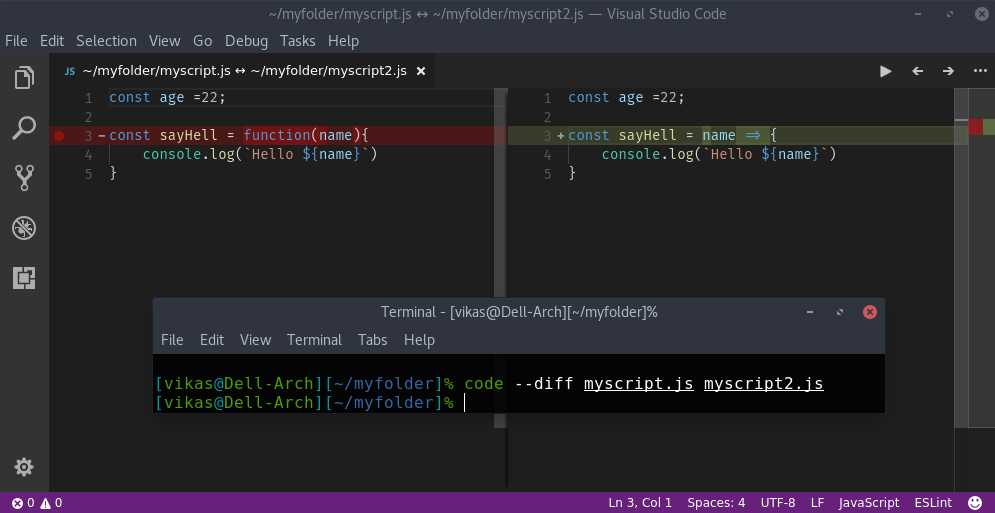
The files in your project look the same, but there are some differences. You may spot a few of them just by looking, but there is still a chance of missing something. So why risk it? Just type the following command in your terminal, and bam! VS Code will spot all the differences for you.
$code <first-file> <second-file>
2. Font Legatures
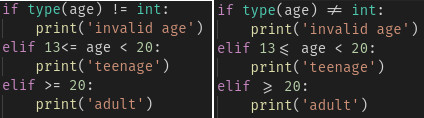
In typography, a ligature occurs when two or more letters are joined as a single glyph, such as æ, which combines a and e. In programming, many tokens are combinations of two or more characters. One example is <=, which combines < and =. Fira Code is a programming font with ligatures that displays <= and many other tokens as single characters. Fira Code is easy to install in VS Code, while even the famous Sublime Text does not support it.
3. Type Checking in Javascript
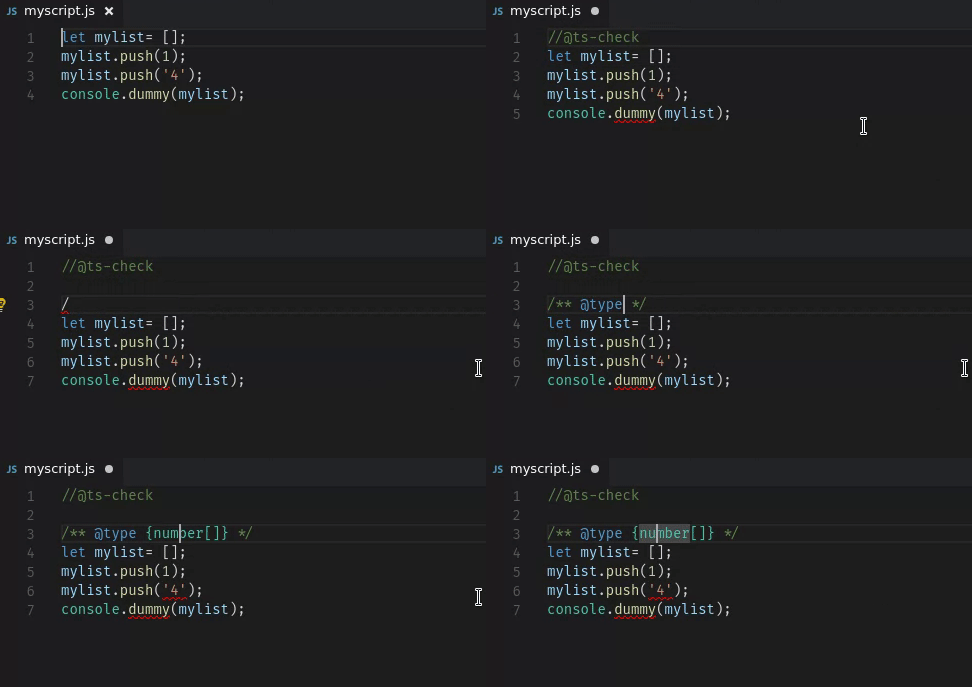
TypeScript is a typed superset of JavaScript. But in VS Code, you can get type checking in plain JavaScript by adding
//@ts-check
at the top of the JavaScript file.
4. The Printable Shortcut Cheat Sheet
A code editor is never complete without good keyboard shortcuts. VS Code offers a printable cheat sheet that you can paste on your wall for quick reference. It contains shortcuts for important features such as multiple cursors, integrated terminals, and file management. Go explore it.
Download shortcut cheatsheet for Windows, Linux and Mac.
5. Change the Case of Variables
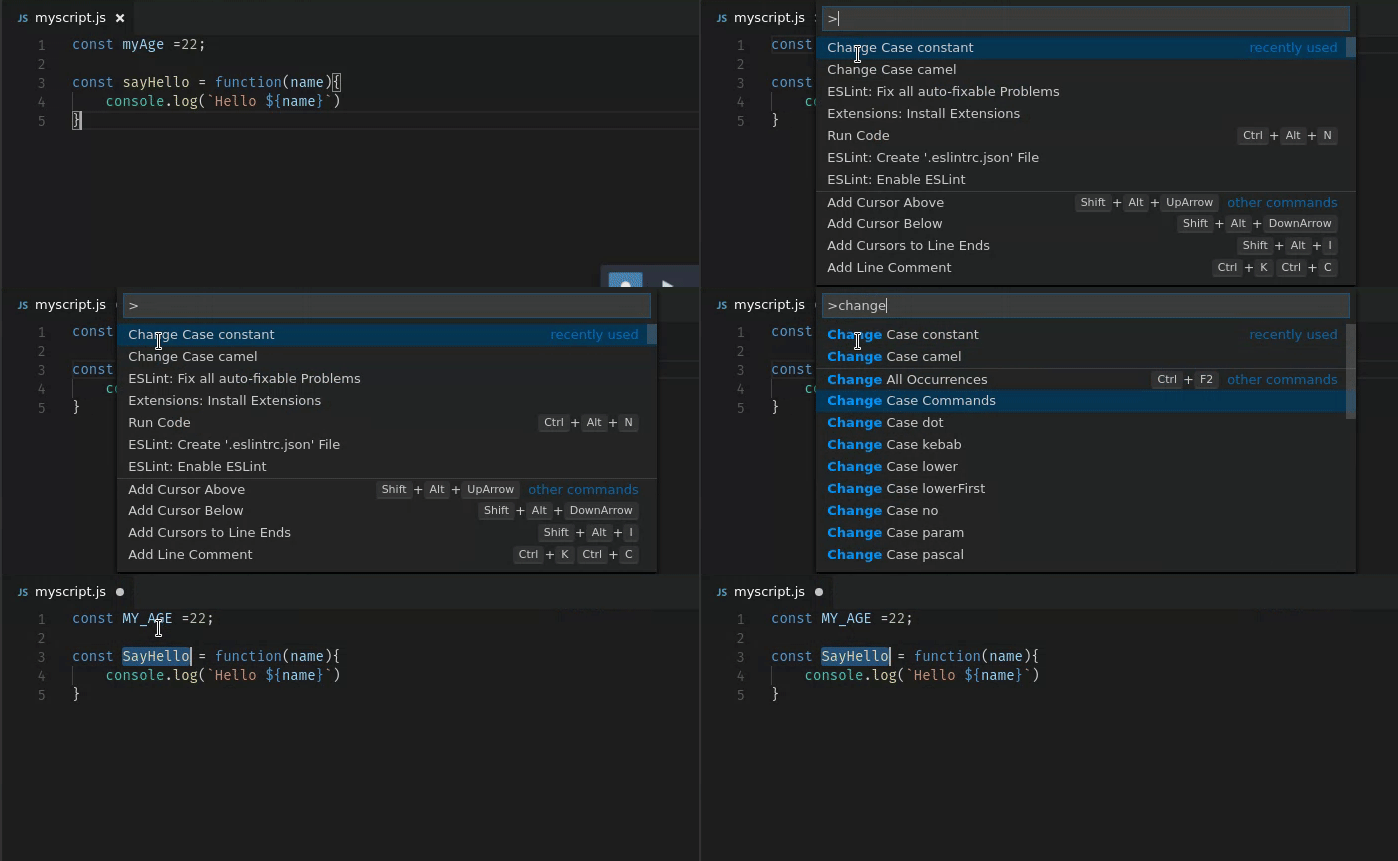
Just select a variable (you can select multiple variables too), open the Command Palette by pressing F1, type “change case,” and choose the case you want.